Nothing stalls growth like a restricted ad account. Campaigns stop, learning resets, and days go into review requests instead of optimisation. Most restrictions don’t come out of nowhere, though. They usually follow a pattern: a risky claim, a weak landing page, a sudden spike in spend, or a security problem.
The good news is that healthy accounts are mostly the result of good habits. Here are 12 that experienced media buyers follow on Meta, TikTok, Google, Snapchat and Microsoft Bing, whether they use personal or agency accounts. (Not sure of the difference? Read Facebook agency accounts vs personal accounts.)
Ads and creative
1. Read the policy before you write the ad
Every platform publishes its advertising policies, including lists of restricted and prohibited categories. Check them before you launch a new product or vertical, not after an ad is rejected. Rules differ between platforms, so something allowed on Google may be restricted on TikTok or Snapchat.
2. Avoid exaggerated or guaranteed claims
Phrases like “guaranteed results”, “lose 10 kg in a week” or “get rich fast” are among the most common reasons for disapproval. Make specific, honest claims you can back up, and show evidence where you can.
3. Don’t imply personal attributes in your copy
Copy such as “Are you struggling with debt?” or “Other people with diabetes love this” suggests you know something personal about the viewer. Most platforms restrict this. Talk about the product and its benefits, not the person’s circumstances.
4. Keep the ad and landing page consistent
The product, price and offer in your ad should match what people see after they click. Mismatches look like bait-and-switch to reviewers and to customers alike, and they hurt conversion rates too.
Landing pages and website
5. Build a complete, trustworthy website
Reviewers look for the basics of a real business:
- Clear contact details (email, phone or address)
- Visible pricing and shipping information
- Privacy policy, terms and refund or returns policy
- An “About” page that explains who you are
6. Make pages fast and mobile-friendly
Slow, broken or pop-up-heavy pages hurt your quality signals and conversion rates. Test every landing page on a phone before launch, and fix anything that takes more than a few seconds to load.
7. Never use cloaking or hidden redirects
Showing reviewers one page and customers another is treated as a serious violation on every major platform, and it usually leads to permanent restrictions. Your landing page should be the same for everyone who clicks.
Payments and spending
8. Keep funding stable
Failed payments and frequent changes of payment method can trigger reviews. With an agency account, top up your balance before it runs low so campaigns never stop abruptly. Prepaid funding is one of the main benefits of verified agency advertising accounts.
9. Scale budgets gradually
Jumping from $100 to $5,000 a day overnight can look unusual and also resets the learning phase. Increase budgets by around 20–30% at a time, and duplicate winning ad sets rather than multiplying one budget.
Security and access
10. Turn on two-factor authentication for everyone
Hacked profiles are one of the most common causes of sudden restrictions, especially on Meta. Require two-factor authentication for every person with access to your Business Manager or ad accounts.
11. Give the minimum access needed
Remove former staff and freelancers promptly, and give team members only the permission level they need. Review access every month and keep a simple record of who has what.
Monitoring
12. Check account quality every week
Most platforms show account status, policy warnings and rejected ads in a dedicated area, such as Account Quality on Meta. Review it weekly, fix rejected ads quickly, and request a review only when you’re confident an ad complies.
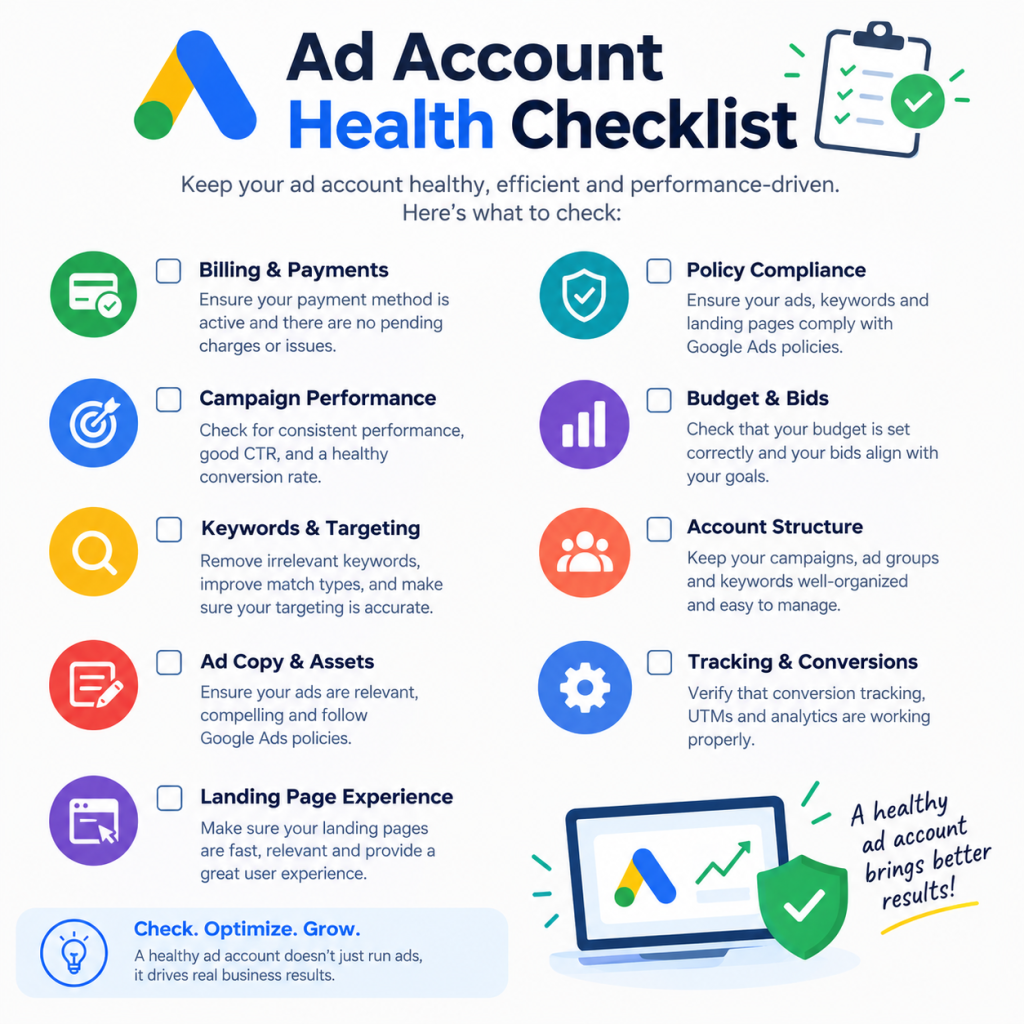
Your 12-point account health checklist
- ☐ Checked platform policies for this product and vertical
- ☐ No exaggerated or guaranteed claims
- ☐ No copy implying personal attributes
- ☐ Ad matches the landing page
- ☐ Contact details, pricing and policies visible on site
- ☐ Landing page fast and mobile-friendly
- ☐ No cloaking or hidden redirects
- ☐ Balance topped up ahead of spend
- ☐ Budgets scaled in 20–30% steps
- ☐ Two-factor authentication on for all users
- ☐ Access permissions reviewed this month
- ☐ Account quality checked this week
Platform-specific tips
- Meta: keep your Business Manager verified and your domain verified. See how a Meta agency ad account verified setup improves advertising.
- TikTok: avoid misleading before-and-after content and make sure your landing page matches the product shown in the video.
- Google: keep your Merchant Center product data identical to your website. Our guide to Google Shopping and Performance Max covers feed quality.
- Snapchat: keep creative casual but honest. See our Snapchat Ads for ecommerce guide.
- Microsoft Bing: after importing from Google, recheck ads and extensions for anything Microsoft treats differently. Read more in why Microsoft Advertising is the underrated channel.
What to do if an ad or account is restricted
- Read the notice carefully. Identify which policy was cited and which ads or assets are affected.
- Fix the cause first. Edit or remove the ad, update the landing page, or secure the account.
- Request a review once. Explain briefly and factually what you changed. Repeated, identical requests rarely help.
- Contact your account provider. If you use a Blue Focus agency account, our support team can help you understand the notice and guide the review request.
Frequently asked questions
Does an agency account protect me from restrictions? No account type is exempt from platform policies. An agency account gives you stronger infrastructure and faster support, but compliant ads are what keep any account healthy.
How long do reviews take? It varies by platform and case,usually takes around 5 minutes.
Should I open a new account if one is restricted? Creating new accounts to get around a restriction breaks most platforms’ rules and usually makes things worse. Resolve the cause and use the official review process.
How often should I run this checklist? Before every new product launch, and as a quick weekly review for active accounts.
Grow with accounts built to last
Healthy accounts are the foundation of profitable scaling. Blue Focus provides agency ad accounts for Facebook, TikTok, Google, Snapchat and Microsoft Bing, backed by a support team that helps you stay compliant as you grow. Contact us or open your ad account today.
