

The most common reason for ad account suspension is late payment of advertising fees.In this article, we’ll guide you on how to check your advertising charges, as well as solutions when you miss paying Facebook advertising debt
How to View Fees and Payment History on Facebook Ads
Method 1: Accessing from Your Account
Step 1: Firstly, log in to your Facebook account; then, expand the menu and select “Ad Manager”
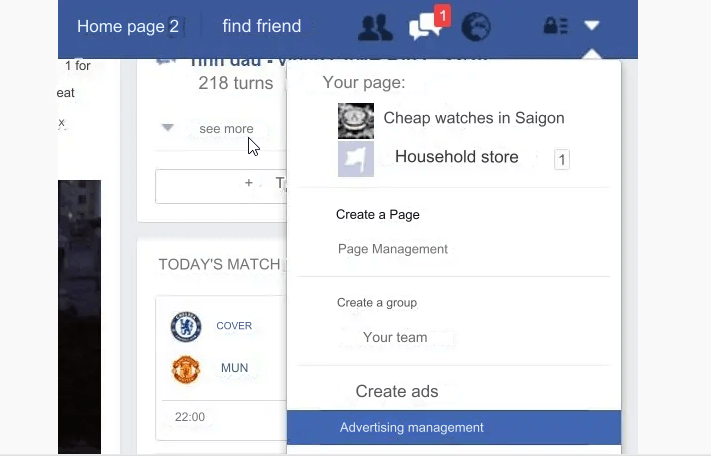
Click on “Ad Manager”.
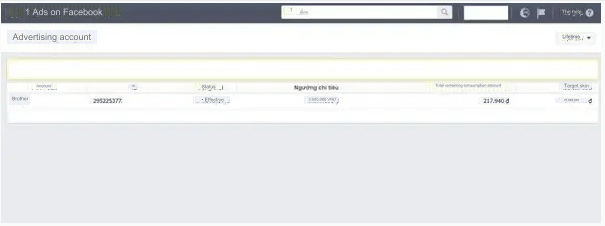
Step 2: Then, you’ll click on your advertising account.
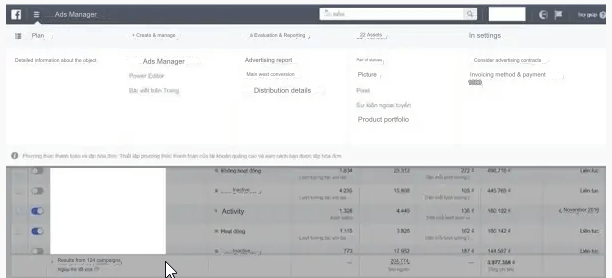
Step 3: Click on the expand section at the bottom left corner, near the Facebook logo; find the “Ads Manager” section; click on it and then select “Billing and Payment Methods”.
If you want to run your advertising campaigns, you can use Bluefocus’s Facebook agency account rental service.
Method 2: Accessing via Facebook Link
Navigate to the Billing section of Facebook’s Ads Manager.
An interface will appear as shown below:
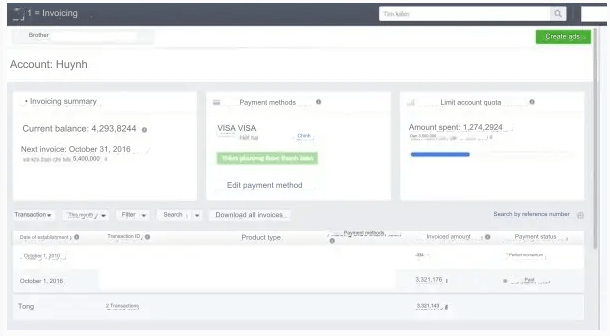
You can view your payments as well as your Facebook advertising debt of your Facebook advertising account here. Integrated filters such as: Transactions, This Month, Filters, and Search will help you filter out the transaction information you need.
There are two possible scenarios that may occur with your account:
- If you have Facebook advertising debt: The line “Current Balance: Amount” will appear – as shown in the image above: you owe 4,393,824 VND for Facebook advertising.
- If you do not have Facebook advertising debt: The line “Available Balance: Amount” will appear – this is the amount you have deposited and is still remaining in your Facebook advertising account.
What to Do When You Have Facebook Advertising Debt
Before delving into how to resolve Facebook advertising debt, it’s essential to understand the payment methods available for Facebook Ads.
1. Payment Methods for Advertising
Facebook offers two primary payment options for all advertising accounts:
Automatic Payments: Use PayPal, debit cards, or bank credit cards to purchase ads.
With this payment method, advertising invoices will be deducted from your available balance when you reach the spending threshold; typically, the thresholds are as follows:
- 500,000 VND – for new advertising accounts
- 1,000,000 VND – 5,000,000 VND – 10,000,000 VND – 15,000,000 VND – thresholds for other accounts. The threshold will increase if you make timely payments.
Manual Payments: Use payment methods such as PayTM or Beleto Bancáreo to purchase ads.
Facebook will deduct from the amount you have deposited into your account when you run ads. This payment method does not have a spending limit.
2. Resolving Facebook Advertising Debt
If you fall under the ‘Current Balance’ category, you have Facebook advertising debt. So, how do you resolve it?
The first thing you need to do is to deposit additional funds into your account to pay off this Facebook advertising debt.
If you encounter difficulties in the payment process, you can try the following:
- Contact your bank or the organization that provides your payment method.
- Change to a new payment method (add a manual payment method).
If neither of these methods resolves the issue, directly contact Facebook’s customer care team for assistance before your account gets locked.
What Happens When You Run Ads on Facebook But Fail to Pay On Time
If your current balance is due, but you fail to make timely payments, Facebook will automatically recognize that your account is running ads without payment (i.e., running ads without paying).
In such a scenario, Facebook will take the following specific actions:
- Attempt to charge your primary card/payment method again.
- Attempt to charge other payment methods you have set up in the payment settings.
- If both of the above cases fail, Facebook will pause all your running ads.
- There may be cases where your ads are flagged or your advertising account is locked.
Once your ads are paused, you can proceed with the methods in Part II to facilitate prompt payment.
Managing Payment Methods for Facebook Advertising
As mentioned earlier, you have the option to choose from various payment methods when using Facebook Ads. You can manage them through Payment Settings in Ads Manager.
How to Add Payment Methods to Your Facebook Advertising Account
To add a payment method, you need to consider the following:
- Be an administrator of the advertising account.
- The payment method being added must be accepted by Facebook.
If you are using manual payment method, you won’t be able to add another payment method.
- Step 1: Access ‘Payment Settings’ in Ads Manager.
- Step 2: Locate the ‘Payment Method’ section and click on ‘Add Payment Method’ in the top right corner.
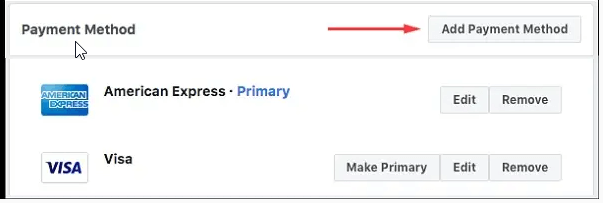
- Step 3: Choose the payment method you want to add, fill in all the required information; then click on ‘Continue’ and follow any additional instructions from Facebook.
Once completed, the new payment method will be added to your advertising account.
How to Remove Payment Methods from Your Account
If you no longer wish to use one or more payment methods, you can remove them from your account.
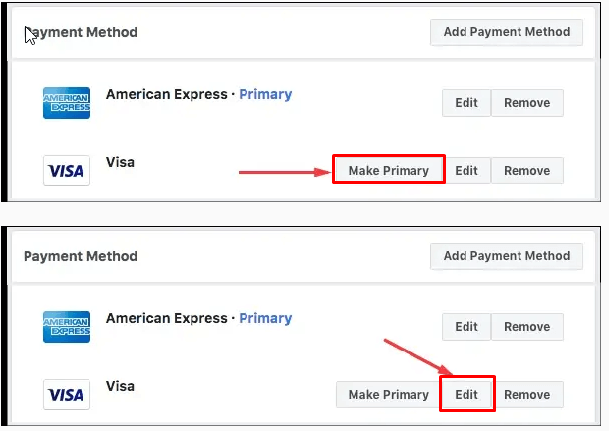
The steps are similar to section 4.1, where you navigate to the “Payment Method” section. Here, you click on “remove” next to the payment method you want to remove and confirm. That’s it!
Additionally, you can also edit the primary payment method by using the “Make Primary” button and edit the payment method using the “Edit” button.
Conclusion
These are the basic points in payment when owing Facebook advertising Debt from Bluefocus. We hope that it will help you resolve your issues, and your account will not be locked.
